The short version
- The Buildertrend sync moves transactions both ways. It doesn’t build your WIP schedule, check draws or catch costs coded to the wrong job.
- QuickBooks Online’s AI is worth turning on for the books, but don’t run billing in both systems. Pick one home for estimates, change orders and invoices.
- An AI assistant connected to QuickBooks, working from your Buildertrend reports, can take over the monthly spreadsheet work. Start it read-only.
A common setup for residential builders is Buildertrend for jobs, clients and the field, and QuickBooks for the books. This fall Intuit added AI agents to QuickBooks Online, construction billing to QuickBooks Online Advanced and a way for ChatGPT and Claude to work with QuickBooks directly. So builders are asking which tool should do what.
The short answer: these do three different jobs. The sync moves data. QuickBooks’ AI keeps the books. An AI assistant answers questions across both. Trouble starts when two of them try to do the same job.
What the Buildertrend sync does, and doesn’t
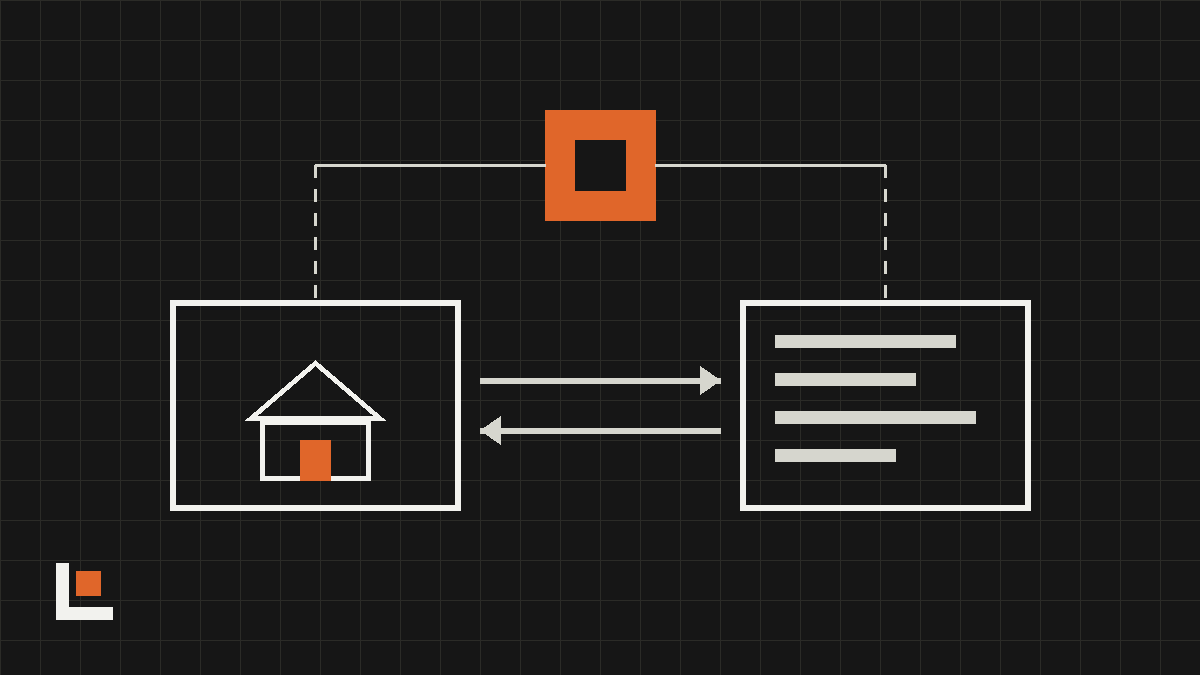
Buildertrend’s QuickBooks Online integration is a two-way sync. It’s dependable for what it’s built to do: keep the same records in both places.
- Buildertrend sends to QuickBooks: customers, jobs, vendors, bills, invoices, deposits, credit memos and approved time.
- Buildertrend pulls from QuickBooks: bill and invoice payments, and expenses, which land in the job costing budget, usually within about five minutes.
What it moves is transactions. What it doesn’t produce is the work your office does with them:
- No work-in-progress (WIP) schedule, draw report or cash-flow forecast by job.
- No month-end entry that moves costs on unfinished jobs onto the balance sheet.
- The cost code mapping is set once. If a code is mapped wrong, costs keep landing in the wrong account until someone notices.
- Classes and locations don’t sync, so class-based reports need manual work in QuickBooks. QuickBooks Desktop needs Intuit’s separate Web Connector.
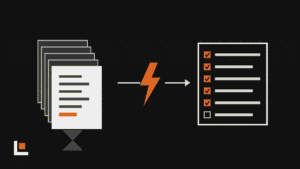
So most builders still rebuild WIP and draw figures in Excel every month, pulling numbers from both systems by hand.
Want this working in your company? Book an AI discovery and we’ll show you where AI fits your office first.
Where QuickBooks Online’s AI fits, and where it collides
QuickBooks Online’s AI agents are useful on the bookkeeping side, especially for everything that never touches Buildertrend:
- Categorizing bank and card transactions.
- Helping with reconciliation.
- Flagging anything unusual before your accountant finds it.
The collision is billing. QuickBooks Online Advanced now handles change orders, AIA-style progress billing and WIP on its own. If Buildertrend already runs your estimates, change orders and client invoices, turning those on in QuickBooks too gives you two places where billing lives, and the sync can’t reconcile them. Pick one home for billing and leave the other off.
The same goes for smaller overlaps. If Buildertrend sends client payment reminders, don’t let QuickBooks’ Payments Agent send its own. If Buildertrend’s Bill Capture reads your vendor bills, decide whether bills start there or in QuickBooks, not both. Our QuickBooks Online AI guide covers the bookkeeping setup in more detail.
Where an AI assistant fills the gaps
The work the sync leaves behind is exactly the kind an AI assistant is good at: reading numbers from two places, lining them up and explaining what doesn’t match.
- QuickBooks side: QuickBooks now works inside ChatGPT and Claude. Invoicing there became generally available at Intuit Connect in October, and you review each invoice before it sends. Intuit also publishes an open-source MCP server that lets an assistant read the books in detail. It’s developer-level: it needs a registered app, its sign-in has to be renewed every few months, and delete is on by default, so it should be set to read-only.
- Buildertrend side: Buildertrend doesn’t offer a public API or its own ChatGPT or Claude connector. Some third-party “Buildertrend MCP” tools log in with your Buildertrend password. Skip those. Your regular Buildertrend reports, like the job costing budget, change orders and invoices, give an assistant what it needs.
With both in reach, the monthly spreadsheet work becomes a set of questions:
- Build this month’s WIP schedule: contract and approved change orders from Buildertrend, costs and billings to date from QuickBooks.
- Check this draw against everything already billed on the job.
- Show costs that landed on a job or cost code that doesn’t fit.
- Tell me, in plain language, which jobs are trending over budget and why.
Keep a person approving anything that changes the books. Start read-only, compare the assistant’s WIP against your own for a month or two, then decide how much to trust it.
Questions
Should I drop Buildertrend for QuickBooks Online Advanced’s construction tools?
Probably not, if Buildertrend runs your schedules, daily logs, selections and client portal. Advanced covers billing, job costing and WIP, not the field and client side. Keep Buildertrend and keep billing there, or move billing to QuickBooks and turn it off in Buildertrend. Just don’t run it in both.
Is it safe to give an AI access to my books?
Start with read-only access, use a test company if you can, and know who owns the connection. Avoid any tool that asks for your Buildertrend password. Keep a person approving anything that writes to QuickBooks.
Sources
- Buildertrend: QuickBooks Online integration overview
- Buildertrend: QuickBooks FAQs
- LiveFlow: Buildertrend and QuickBooks, closing the WIP and draw reporting gap
- QuickBooks: What’s new in QuickBooks Online Advanced, fall 2026
- Apideck: Intuit Connect 2026 and QuickBooks integrations
- Layer3 Labs: QuickBooks MCP guide
- Carly: Buildertrend AI features and integrations