Home  /  Blog

Buildertrend’s new AI tools for home builders

Buildertrend announced four AI tools and two financial features on September 29. Here's what each one does and where a residential builder should start.
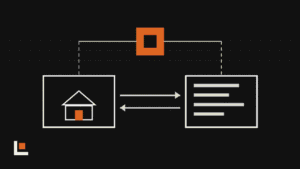
Illustration of a house outline beside four tool tiles, one highlighted in orange
On this page
Loading the Elevenlabs Text to Speech AudioNative Player...

The short version

  • Buildertrend added four AI tools: Submittals, Bill Capture, Client Updates and Plans.
  • It also added two-way Sage Intacct sync and AIA-style progress invoicing for bank-funded projects.
  • For most builders, AI Bill Capture and AI Client Updates save the most time first.

Buildertrend is the system of record for a lot of residential builders and remodelers. On September 29 it announced its biggest round of AI features yet, aimed at larger and more complex builders.

The four AI tools

  • AI Submittals: upload a spec book and Buildertrend drafts the submittal log for you to review and import. Each submittal then moves through a set routing.
  • AI Bill Capture: pulls the details from bills and receipts so nobody retypes them.
  • AI Client Updates: drafts client communications from what’s happening on the job.
  • AI Plans: organizes plan sets.

Want this working in your company? Book an AI discovery and we’ll show you where AI fits your office first.

Book an AI discovery

The financial tools

Buildertrend also added a direct, two-way connection to Sage Intacct for bills and invoices, so job costs match between the field and the office. And it added AIA-style progress invoicing with a schedule of values, retainage and cover sheets for bank-funded projects.

Buildertrend didn’t announce separate pricing for the AI tools, and coverage couldn’t confirm whether every plan includes them. Ask your rep.

Where to start

AI Submittals matters most to builders doing commercial or spec-heavy work. For a typical residential builder, two tools pay off sooner:

  • AI Bill Capture, because receipts and bills pile up every week.
  • AI Client Updates, because clients who hear from you regularly call less and refer more.

Turn on one, run it for a month, and check the output before you add the next.

Questions

Do Buildertrend’s AI tools cost extra?

Buildertrend didn’t announce separate AI pricing. Coverage couldn’t confirm whether every plan includes them, so check with your rep.

Does AI Client Updates send messages on its own?

Buildertrend describes it as drafting client communications. Review drafts before they go out, at least at first.


Sources

Alexander Build Co.

An AI integration firm for builders and the trades in Charlotte and the surrounding region. We connect AI to the software you already run.

How we work
KEEP READING

Related posts

A week calendar with construction tech announcements on each day, all passing through a final approval check
Industry news

This week in construction tech: AI agents draft, people approve

Three companies launched AI agents for contractors this week, and all three keep a person approving the work. Plus a $6.2 million bet on catching drawing errors, Procore’s latest quarter and a builder’s new campus for testing AI before it reaches the jobsite.

Diagram of a service job moving from visit to quote to job to invoice, with AI agents catching revenue that leaks between each step
AI in construction

BuildOps’ new AI agents chase the money your shop already earned

BuildOps launched three AI agents for commercial contractors that look for money lost between the service call and the invoice: work that never got quoted, jobs that stalled and charges that never got billed. Here’s what they do, and the same checks any trade shop can run.

Buildertrend and QuickBooks graphic: a job and a ledger syncing both ways, with an AI node reading both
AI in construction

Buildertrend and QuickBooks: what the sync does, and where AI fills the gaps

Most builders on Buildertrend connect it to QuickBooks and stop there. The sync keeps records matched, but the WIP schedule, the draw check and the answer to “how is this job really doing?” still happen in a spreadsheet. Here’s how the pieces fit, and where AI belongs.

WORK WITH US

Want this working in your company?

Book an AI discovery. We’ll look at how your office runs today and show you where AI can save your team time.